

Quick Answer
To start a blog in 10 weeks, complete one milestone per week and resist working ahead. Strategy, niche, and platform decisions come first during weeks 1 and 2 because everything that follows depends on them. Technical setup and your content calendar follow in weeks 3 and 4. Writing, search optimization, and email signups then fill weeks 5 through 7, while the final three weeks cover promotion, analytics, and scaling. Since each stage builds on the one before it, this pacing produces a live blog with real readers instead of an abandoned draft folder.
Key Takeaways
- Sequence matters more than effort. Strategy comes before setup, and setup comes before writing, so skipping ahead usually means redoing the work you rushed.
- Ten weeks is a pace, not a deadline. Most milestones take only two to four hours, which means the plan fits comfortably around a full-time job.
- WordPress still leads. Running WordPress on your own hosting provides the most SEO control and the largest plugin library available anywhere.
- Most content earns nothing. Confirm that people actually search for your topic before you write, because the vast majority of published pages attract no traffic at all.
- Consistency outperforms volume. One carefully edited post each week will outperform three rushed ones on a schedule you cannot sustain.
- Email and promotion start in week 7. Waiting until you have 50 published posts wastes every visitor who arrives before that point.
Table of Contents
Why Most Blogs Stall Before the First Post

You have probably wanted to start a blog for a while now. Maybe you registered a domain and never used it, or wrote half a post before closing the tab.
The problem is rarely motivation. It is sequencing.
Most advice hands you a pile of tasks in no particular order: pick a niche, install plugins, research keywords, and build an email list. Confronted with all of it simultaneously, you freeze.
The published numbers explain why so many attempts stall before they gain momentum. Only 21% of content marketers report that their blogging delivers strong results (Orbit Media). Meanwhile, 96.55% of all web pages receive no search traffic from Google whatsoever (Ahrefs).
Those odds improve considerably once you organize the work into a sequence. This guide breaks the launch into 10 weekly milestones, with each week focusing on one area, a short action list, and a clear finish line.
By week 10, you will have a live blog, a content calendar, published posts, an email signup form, and analytics you can actually interpret. Reaching that point requires no developer, no advertising budget, and no previous experience.
Your 10 Weeks at a Glance
Here’s an overview of the entire process, week-by-week.
| Milestone | |
| Week 1 | Define your niche, your reader, and three measurable goals. |
| Week 2 | Choose your platform, register your domain, set up hosting. |
| Week 3 | Install and configure the blog, publish your legal pages. |
| Week 4 | Map 12 topics into clusters with target keywords. |
| Week 5 | Write, edit, and publish your first post. |
| Week 6 | Apply on-page SEO and answer-engine formatting. |
| Week 7 | Launch a free download and start collecting emails. |
| Week 8 | Build a promotion routine you run after every publish |
| Week 9 | Record a baseline for your four core metrics. |
| Week 10 | Scale what works and lock a cadence you can hold |
What It Really Takes to Start a Blog

A blog is a section of your website where you publish dated articles on a consistent theme. That is the mechanical definition, though a more useful one exists.
Your blog is the single marketing channel you own outright. Social platforms rent you an audience and change the terms without warning, and search rankings shift constantly. Your blog and your email list, however, remain yours.
The catch is that publishing by itself accomplishes nothing. The benefits of blogging compound only when every post you write serves a larger plan.
Why a 10-Week Pace Works
Ten weeks is long enough to build every component a blog needs, yet short enough to hold your attention throughout.
Each week here carries exactly one milestone. Most require two to four hours, although week 3 runs considerably longer. That commitment fits around a job, a roster of clients, or a business you already operate.
Order matters more than speed. Strategy comes first, followed by setup, then writing, then promotion. Jump ahead in that sequence, and you will end up rebuilding work you already finished.
Before Week 1: Pick Your Niche and Your Reader
Two decisions shape everything that follows, so make them before you begin the first week.
A blog niche is the specific subject area your blog covers and the readers it serves. Your niche sits where three conditions overlap: real subject knowledge, measurable search demand, and competition thin enough to enter.
Go too broad, and you compete against sites holding a decade of accumulated authority. Narrow too far, and nobody searches for your topics at all. A blog about marketing is too wide, while a blog about email subject lines for orthodontists is too thin.
How to Test a Niche Before You Commit
Run three quick checks before committing. First, list 20 questions you could answer without any research. If you stall around question eight, the niche sits too far outside your experience.
Second, check search demand using a free tool such as Google Keyword Planner, which reveals whether anyone actually searches for those topics.
Third, scan the top 10 results for your five strongest topics. If every result belongs to a major brand, find a narrower angle inside the same subject.
How to Define Your Reader
Write a short profile of one specific person, covering their experience level, the problem they are stuck on, and what they have already tried.
That profile settles dozens of small decisions later, including whether to define a technical term or assume your reader knows it. Deeper audience research sharpens the picture considerably, although one paragraph is enough to begin.
Week 1: Set Your Strategy and Goals

A blog strategy is a written document that covers your goals, target audience, topics, and publishing schedule, and it fits on a single page.
This week, you write that page: confirm your niche, name your reader, and set three targets you can measure. A vague goal, such as “more traffic,” leaves you nothing to measure against.
Stronger targets look something like this: publish 10 posts by week 10, reach 300 visits per month from search by month six, and collect 50 subscribers by month four.
Each target carries a number and a date.
Also decide what your blog is actually for. Leads for a service business, subscribers for a newsletter, and authority for a job search all point toward different topics. A documented content marketing strategy keeps those choices consistent as your blog grows.
Documentation is not busy work. Almost every business-to-business marketer now reports having a content strategy (97%), and among those seeing improvement, 74% credit refining the plan itself (Content Marketing Institute).
Week 1 Action Items
- Write your one-page strategy covering goals, reader, topics, and cadence
- Set three measurable goals with numbers and target dates
- Draft a one-paragraph reader profile you can check future posts against
- List five competitor blogs and note gaps in their coverage
Week 2: Choose Your Platform and Domain
A blogging platform is the software that stores, formats, and publishes your posts. Your choice affects design freedom, SEO control, and what you can add to the site later.
Platforms split into two categories. Self-hosted means you rent space on a web server and install the software yourself. Hosted means the company runs everything and you log in to write.
This distinction trips up almost every beginner. WordPress.org is the self-hosted version, and it is what most guides refer to as “WordPress”. WordPress.com is a separate hosted service entirely.
Self-hosted WordPress runs roughly 41% of all websites and nearly 59% of sites that use a content management system (W3Techs). That scale translates into an abundance of plugins and themes, and a documented answer to almost any question you will encounter.
Hosted builders trade control for simplicity. Squarespace and Wix get you published faster with far less to configure, though you give up some SEO settings and easy portability.
Pick your domain this week as well. Keep it short, easy to spell aloud, and free of hyphens or numbers. Your own name works well whenever the blog supports a personal brand.
Blogging Platform Comparison
| Platform | Typical Cost | SEO Control | Setup Effort | Best Fit |
| WordPress.org | $4 to $30 per month hosting | Full | Moderate | Bloggers who want control and room to grow |
| Squarespace | $16 to $52 per month | Limited | Low | Visual brands and portfolios |
| Wix | $17 to $159 per month | Basic | Low | Beginners who want drag and drop |
| Ghost | $9 to $199 per month | Good | Low | Writers running a newsletter first |
| WordPress.com | Free to $45 per month | Varies by plan | Very low | Anyone testing an idea before committing |
What a Blog Actually Costs in Year One
Launch guides often quote $35 to $65 for your first year. That number is accurate, but it also represents an introductory rate. Shared hosting typically renews at two to four times the promotional price.
Budget for the renewal instead of the signup. A realistic first year runs $60 to $150 for a domain and shared hosting, while year two on the same plan often costs $150 to $300.
Everything else can wait. Premium themes, paid keyword tools, and larger email plans all become worth purchasing once your traffic justifies the expense.
Week 2 Action Items
- Choose your platform based on how much control you want
- Register your domain and confirm the matching social handles are open
- Select a hosting provider offering daily backups and a free SSL certificate, which powers the padlock in browsers
Week 3: Build and Configure Your Blog

You chose your platform last week, so now you take the blog live. Install it, pick a clean theme, and set your permalinks. A permalink is the web address of an individual post. Choose the post name setting so your addresses read as words instead of numbers.
Week 3 is the heaviest in this plan, so budget for a full weekend rather than a single evening.
Resist the urge to redesign. Most readers arrive on a phone, which means mobile optimization outranks visual polish at this stage. A fast, readable theme serves you better than a custom design nobody has seen yet, and you can change themes later without losing any content.
Then connect the tools that record what visitors do. Google Analytics tracks your visitors, while Google Search Console shows which searches reach you and flags indexing problems.
Indexing is how Google adds your pages to its searchable database. Your sitemap, a file listing every page on your site, helps Google discover them. Both tools are free and take roughly 15 minutes each to configure.
A handful of basic search settings are worth confirming before your first post goes live (Google Search Central).
Plugins Worth Installing on Day One
- SEO: Yoast or Rank Math for titles, meta descriptions, and sitemaps
- Caching: WP Super Cache or LiteSpeed Cache for faster load times
- Security: Wordfence or Solid Security for login protection
- Backups: UpdraftPlus for weekly copies sent to cloud storage
- Forms: WPForms or Fluent Forms for contact pages and signups
Set Your Speed Targets Now
Core Web Vitals are three metrics Google uses to score real-world page experience. Largest Contentful Paint measures how quickly your main content appears, and it should hit 2.5 seconds or less. Interaction to Next Paint measures how fast the page responds to a tap, and it should stay under 200 milliseconds. Cumulative Layout Shift measures how much the page jumps around while loading and should be 0.1 or less (web.dev).
You will encounter stricter numbers quoted elsewhere, including a one-second load target. Those figures represent stretch goals, not the standard Google actually measures you against.
Two choices this week determine most of your score. Select a lightweight theme, then compress every image before uploading it. Plugins help afterward, but they cannot rescue a heavy theme.
Legal Pages to Publish Before You Launch
A blog that collects email addresses, runs analytics, or carries affiliate links takes on real compliance obligations. Most new bloggers discover this only after something has already gone wrong.
The pages below reflect common practice and are not legal advice. Requirements change depending on where you live and where your readers live. Consult a qualified attorney if your blog touches health, finance, or children.
| Page | Why It Matters |
| Privacy Policy | States what you collect, why you collect it, and how readers opt out. |
| Terms and Conditions | Sets comment rules, content ownership, and the limits of your liability. |
| Affiliate and Sponsor Disclosure | Discloses paid and commissioned links, which the FTC expects near each one. |
| Cookie Consent Notice | Asks readers in the EU and UK before non-essential scripts run. |
| Accessibility Basics | Widens your audience through alt text, keyboard navigation, and readable contrast. |
Publish an About page and a Contact page in the same session, as both signal to readers and search engines that a real person stands behind the site.
Week 3 Action Items
- Install your platform and theme and set permalinks to the post name option
- Add the five plugin types listed above
- Connect Analytics and Search Console and submit your sitemap
- Publish an About page that states who you help and how
- Add your legal pages and a cookie notice before you promote anything
- Run a speed check in PageSpeed Insights and fix the largest image
Week 4: Plan Your Content Calendar

An editorial calendar is a schedule that maps topics, target keywords, and publication dates, removing the weekly question of what to write.
Build 12 topics this week and group them into three clusters of four. Each cluster covers a single subtopic from several different angles.
Clusters matter because they build depth. Three posts on one subject, plus one post each on nine others, read as scattered, and both readers and search engines notice the difference.
Keyword research turns your rough topic list into a ranked one. Check search volume alongside how difficult each term looks to rank for. Then start with terms you can realistically reach, not the ones carrying the biggest numbers.
How to Size a Content Cluster
A cluster is one broad pillar topic supported by narrower posts that link back to it. Aim for three to five pillars throughout the blog, with six to ten supporting posts under each.
That total looks intimidating in week 4. This week, only ask you to place your first 12 posts within a structure capable of holding 50.
Target long-tail keywords first. Those are longer, more specific phrases carrying lower search volume and thinner competition. Broad pillar terms sit out of reach for a new domain, so start with the specific questions underneath them and work upward as your authority grows.
Week 4 Action Items
- Brainstorm 25 topic ideas from reader questions and competitor gaps
- Group the best 12 into three clusters of four related posts
- Assign a target keyword to each of the 12
- Set publish dates and block writing time on your calendar
Week 5: Write and Publish Your First Post

The plan becomes real this week, so outline first, then draft, then edit. Drafting directly into a blank page is why most posts stall.
The average blog post takes just under three and a half hours to produce (Orbit Media). Budget that time honestly because rushed work always shows.
Write for one reader answering one question. Use short paragraphs, plain words, and concrete examples throughout. Whenever a sentence requires a second read, cut it in half. Clear copywriting holds readers far better than any plugin ever will.
Your headline carries most of the weight. Strong blog titles promise a specific result and include the term people actually search for.
Run your pre-publish checks before you hit the publish button, because broken links and missing meta descriptions are far easier to catch now than after indexing.
A Post Outline You Can Reuse
- Hook: the problem your reader recognizes, in two sentences
- Promise: what your reader can do after reading
- Answer: the short version, inside the first 150 words
- Body: three to six sections, each covering one step or idea
- Proof: one example, template, or screenshot
- Close: a summary and one clear next action
Front-load the answer. Put a direct, self-contained response to the post’s main question inside the first 150 words. Skimmers get exactly what they came for, and tools that summarize pages have clean quotes to share.
Week 6: Apply On-Page SEO
On-page SEO covers the elements within a post that help search engines read it and match it to a search query. That category includes the title tag, meta description, headings, images, and links.
This week you go back through everything you have published and fix it. New bloggers routinely skip this step, then wonder why nothing ranks.
Search intent determines whether your post can rank at all. If searchers want a comparison and you wrote a definition, no amount of tuning will fix that mismatch. Check the current top results before you optimize anything.
Internal linking spreads authority between your posts and helps search engines discover new pages considerably faster.
Working from a repeatable SEO checklist keeps the process from becoming guesswork every time you publish.
On-Page Essentials
- Title tag: primary keyword near the front, under 60 characters
- Meta description: under 155 characters, specific enough to earn the click
- Headings: one H1 for the post title, then H2s and H3s in order with no skipped levels
- Image alt text: a plain-language description of what the image shows
- Internal links: three to five per post using descriptive anchor text
- URL slug: short, lowercase, keyword included, no dates
Make Your Posts Usable by AI Answer Engines
Search now includes systems that summarize pages instead of merely listing them. Google calls its version AI Overviews, and competing assistants work much the same way. Answer engine optimization shapes your formatting so those systems can quote you accurately.
Three habits do most of the work here. Write self-contained answers underneath every heading, define each term in one sentence at first mention, and use short tables or lists for anything comparative.
Older guides push FAQ schema, a snippet of code that labels your questions for search engines. Skip it.
Google retired FAQ rich results in May 2026. AI Overviews also need no special markup (Google Search Central). Clear, visible content carries that weight instead.
How AI search engine optimization differs from traditional SEO matters more in some niches than in others. Test yours by asking a chat assistant the questions your readers ask most often.
Week 7: Start Collecting Email Addresses
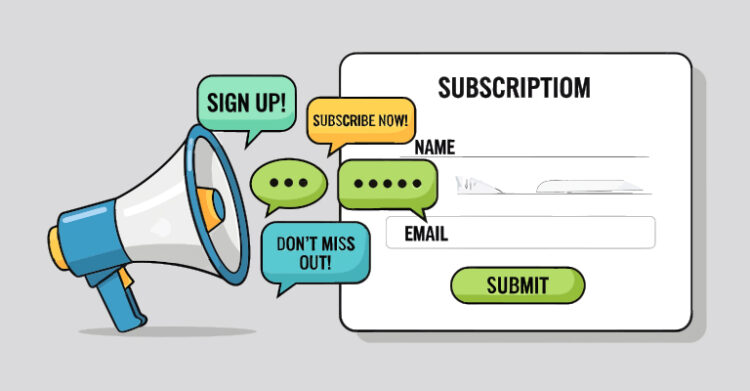
A lead magnet is a free resource you offer in exchange for an email address. Checklists, templates, and short guides all work well for this purpose.
Start now, with five posts, instead of later with fifty. Every week you delay costs you visitors who leave and never return.
Your email list is the only audience you keep when algorithms shift, because search rankings and social reach are both borrowed.
Keep the offer narrow. A single checklist that solves one problem converts better than a 40-page ebook nobody opens.
Week 7 Action Items
- Create one lead magnet tied to your best-performing post
- Set up a free email service such as MailerLite or Kit
- Place signup forms in your sidebar, mid-post, and footer
- Write a two-email welcome sequence that delivers the magnet and sets expectations
Week 8: Promote Every Post You Publish
Publishing is only half the job. A post with no distribution attracts no readers until search discovers it, which typically requires several months.
Spend as much time promoting a post as you spent writing it. That ratio feels wrong to most new bloggers, and it explains why their traffic stays flat for so long.
Repurposing multiplies the value of each post. One article becomes a LinkedIn update, a short thread, and an email to your list. It can also become a useful comment in a forum you already follow. Planned social media promotion turns one draft into a week of distribution.
Guest posting earns backlinks, which are links pointing from other sites to yours. It also puts you in front of an audience that already trusts the host.
Republish Elsewhere Without Losing Credit
Republishing a post on LinkedIn or Medium reaches readers who would never find your site otherwise. It also creates a duplicate that can outrank your original.
Point a canonical tag on the copy back to your own URL. That tells search engines which version to credit (Google Search Central). Where a platform offers no canonical option, publish a short excerpt and link back home.
Wait a week or two after publishing before republishing anywhere else, so search engines have time to index your version first.
Week 8 Action Items
- Build a promotion checklist you run after every publish
- Repurpose your best post into three shorter formats
- Pitch two guest posts to blogs your readers already follow
- Email your list whenever you publish something new
Week 9: Measure What Actually Matters

Blog analytics is the practice of tracking traffic, engagement, and conversions to decide what to do next.
Most beginners drown in unnecessary dashboards. Monitor only four numbers during your first year and ignore everything else.
Organic sessions are visits from unpaid search results, and they tell you whether search is finding you. Impressions in Search Console rise before clicks do, so they reveal progress early. Email signups show whether your content converts, while top pages tell you what to write more of.
Check monthly rather than daily, because search results change slowly, and frequent checking invites bad decisions.
Fix the Posts With Impressions but No Clicks
Search Console will show you pages that appear often yet get clicked rarely. Those represent your fastest wins because the ranking already exists.
Rewrite the title tag and meta description on those pages. Make the promise specific and match the wording searchers actually type.
Then look at searches where you already rank between positions 5 and 20. A section that answers one of them directly will often move the page to the first screen.
Week 9 Action Items
- Confirm tracking works on every page and form
- Record a baseline for your four core metrics
- Identify your top three posts by impressions, not by clicks alone
- Note every query ranking between positions 5 and 20
Week 10: Scale What Works
You now have a live blog, published posts, an email list, and real performance data. Week 10 turns all of that into a routine you can maintain.
Look at your top three posts, then write two more on each of those subjects. Chasing demand you have already proven delivers more blog traffic faster than guessing at unfamiliar new topics.
Set a publishing rhythm you can hold during a bad week. One post every two weeks that you reliably ship will outlast a weekly promise you break in month two.
Then start updating what already exists. Refreshing an older post with current data and fresh links often outperforms writing something entirely new. Your tenth post will be better than your first, so rewriting those early ones is the fastest route to becoming a better blogger.
Week 10 Action Items
- Plan your next 12 posts around topics that already perform
- Lock a sustainable cadence you can hold for six months
- Schedule a quarterly refresh for your top five posts
- Set one goal for month six and one for month twelve
Your 10-Week Launch Checklist

| ☐ | Week 1: One-page strategy written with three measurable goals |
| ☐ | Week 2: Platform chosen, domain registered, hosting live. |
| ☐ | Week 3: Blog installed, plugins added, Analytics and Search Console connected |
| ☐ | Week 3: Legal pages, cookie notice, About and Contact published |
| ☐ | Week 4: Twelve topics mapped into three clusters of four with target keywords |
| ☐ | Week 5: First post outlined, drafted, edited, and published |
| ☐ | Week 6: On-page SEO plus answer-engine formatting applied to every post |
| ☐ | Week 7: Lead magnet live with signup forms in three placements |
| ☐ | Week 8: Promotion checklist built, two guest posts pitched, republished copies pointed home |
| ☐ | Week 9: Baseline recorded for sessions, impressions, signups, and top pages |
| ☐ | Week 10: Next 12 posts planned and a sustainable cadence locked in |
Free Tools for Your First 10 Weeks
You can complete this entire plan on free tiers, and the tools below appear in the order you will need them. Paid alternatives become worth considering later, once you understand what your blog actually requires.
Google Keyword Planner
Keyword Planner is built into Google Ads and reports how many people search for a particular term each month. You can reach it without spending any money on advertising, although the free version reports volume in broad ranges rather than exact figures.
Those ranges are precise enough for the two decisions that matter early. Use it before week 1 to confirm your niche carries real demand, then again in week 4 to size your first 12 topics.
Google Trends
Trends show relative interest in a topic over time rather than absolute search volume. That distinction matters, because a keyword with steady demand deserves different treatment from one that spikes every December.
Check your cluster topics here during week 4, before you assign publish dates. Trends also reveals whether a subject is growing or fading, which protects you from building depth around a topic already in decline.
Kadence or GeneratePress
Both are lightweight WordPress themes engineered for speed instead of visual complexity. They load a fraction of the code that feature-heavy themes ship, and that difference registers directly in your Core Web Vitals scores.
Your theme choice in week 3 determines most of your performance ceiling. Selecting a lean theme now spares you a painful migration later once your posts have accumulated rankings you do not want to disturb.
Rank Math or Yoast
These SEO plugins handle the technical elements you would otherwise edit by hand: title tags, meta descriptions, and your XML sitemap. Both offer free versions that cover everything a new blog needs.
Install one during week 3 so your sitemap is indexed in Search Console immediately. You will depend on it heavily in week 6, when you revisit published posts and apply on-page fixes across the entire site.
ShortPixel or TinyPNG
Image compression tools shrink file sizes without visible quality loss, frequently cutting a photograph by 60% or more. Oversized images remain the single most common cause of sluggish blog pages.
Build compression into your publishing routine starting in week 3. Running every image through one of these before uploading prevents the gradual slowdown that occurs once you have 30 posts with heavy graphics.
PageSpeed Insights
PageSpeed Insights grades any URL against Core Web Vitals and lists the specific problems slowing it down. The report separates real-world field data from simulated lab test results, so you can see both what visitors experience and what causes it.
Run your homepage and one post through it during week 3. Treat the diagnostics as a checklist, and remember that a lean theme plus compressed images resolves most issues before you adjust anything else.
Google Analytics
Analytics records how many people visit, where they originate, and which pages hold their attention. Free-tier limits far exceed what a new blog will generate in its first year.
Connect it in week 3, then leave it alone until week 9. Checking daily typically yields an overreaction to any noise, whereas a monthly review reveals which subjects deserve the follow-up posts you plan in week 10.
Google Search Console
Search Console is the only tool reporting data directly from Google: which queries surface your pages, your average position, and whether indexing succeeded. Analytics cannot show you any of that.
It becomes your primary instrument in week 9. Impressions climb before clicks do, so Search Console supplies evidence of progress months before traffic arrives, which is precisely when most bloggers quit.
Canva
Canva produces featured images, social graphics, and lead magnet layouts from templates, with no design background required. The free tier supports all formats this plan requires.
You need it from week 5 onward since each published post wants a featured image. It earns its keep again in week 7, when your lead magnet needs a cover, and in week 8, when you repurpose posts for social platforms.
MailerLite or Kit
Both services host your email list, automatically deliver your lead magnet, and send the welcome sequence you write. Free tiers typically accommodate your first several hundred subscribers.
Set one up in week 7 and connect it to signup forms in your sidebar, mid-post, and footer. This is the one asset in the entire plan that survives an algorithm change, so starting early compounds for years.
Common Mistakes When You Start a Blog
Most failed blogs share the same handful of errors, and each one is avoidable if you catch it early enough.
Writing Before Checking Search Demand
Publishing without keyword data means guessing at what people look for. Validate every topic before you invest three hours in it, since one check takes five minutes and saves an entire afternoon.
Redesigning Instead of Publishing
Theme tweaking feels productive because the results are visible, yet it moves nothing. Nobody is examining your site yet, so publish posts now and revisit the design around month six.
Covering Too Many Unrelated Topics
Spreading across nine unrelated subjects prevents you from building depth in any of them. Search engines reward focused coverage, so go deep on one cluster before you go wide.
Treating Promotion as Optional
Excellent content that remains invisible. Build promotion into your publishing workflow so it happens automatically, not just when you remember.
Waiting to Build an Email List
Every visitor who leaves without subscribing is gone for good. A single signup form added in week 7 compounds over the next two years.
Skipping the Legal Pages
A privacy policy stops being optional the moment you collect email addresses, and the same applies to affiliate disclosure once you earn commission. Both require a single afternoon and eliminate a category of risk you should not be carrying.
Targeting Keywords You Cannot Reach Yet
A new domain will not rank for broad, high-volume terms during year one. Filter for keywords your site could realistically compete for today, then work toward harder ones as your authority builds.
Quitting in Month Three
New blogs typically need six to twelve months before organic traffic becomes meaningful. Month three feels like a failure, even though it is usually just the middle. Monitor your progress monthly and continue publishing.
Final Thoughts: Start a Blog This Week
The gap between people who want to blog and people who actually do is rarely talent. It is a missing first step.
This plan gives you that step. You do not need the whole picture today. You need week 1, which is a single page describing your niche, your reader, and three goals.
Everything after that follows a set shape. The platform comes in week 2, technical setup in week 3, and your first post in week 5. By week 10, you will have something real to build on, along with the habits to keep building.
Open a document and start your blog strategy today, then keep going, because the compounding only begins once you publish.
Additional Resources
Short answers, common questions, and plain-language definitions for the terms used throughout this guide.
People Also Ask
Is it too late to start a blog?
No. However, the bar is higher than it used to be. Big brands own the broad topics, so specific ones win instead. A narrow blog answering questions nobody covers well still ranks.
Can you start a blog with no experience?
Yes. Modern platforms require no code whatsoever. What you do need is a subject you understand better than your reader, plus the patience to publish on a regular schedule.
How many posts should you have before launching?
Three to five is enough. A visitor who arrives to find one lonely post leaves immediately. A handful of articles signals that your blog is active and worth revisiting.
Do you need a logo before you launch?
No. A readable theme and a clear name will carry you through week 10. Design polish matters considerably less than publishing your first five posts.
Can you start a blog while working full time?
Yes. Most weeks here take two to four hours. Week 3 runs longer, so set aside a spare weekend for the technical setup.
Frequently Asked Questions
How long does it take to start a blog?
The technical setup takes one afternoon, but building a blog that attracts readers takes considerably longer. This plan uses 10 weeks because that span covers strategy, setup, content, SEO, email, and promotion without rushing any stage.
Treat launch and traffic as two separate timelines. Expect meaningful organic traffic between months six and twelve, assuming steady publishing and keywords you can realistically win. Most weeks in this plan take two to four hours.
How much does it cost to start a blog?
A self-hosted WordPress blog usually runs $60 to $150 during the first year, which covers domain registration and shared hosting.
Free platforms exist, but they limit your SEO settings and make migration painful later. Every tool in this plan offers a free tier, so hosting and your domain remain the only unavoidable costs. Budget more during year two if you want a premium theme or a paid keyword tool.
What should you blog about as a beginner?
Choose the overlap between what you know well and what people actually search for. Your professional experience, a hobby practiced over many years, or a problem you solved recently all qualify. Then validate demand with a keyword tool before committing.
The best beginner blogs solve one specific problem for one specific reader. Try writing down 20 questions you could answer today, and if that list comes easily, you have found your subject.
How often should you publish?
One quality post per week works for most people starting, because consistency matters more than frequency during your first year. A predictable schedule helps search engines crawl your site regularly and trains readers to expect new work.
Increase your pace only when you can hold quality steady. Dropping to biweekly beats abandoning a weekly promise entirely. Pick the cadence you could defend during your busiest month, not your calmest one.
Do blogs still work in the age of AI search?
Yes, although the payoff has shifted. AI answers pull from published sources, so your content can influence responses even without earning a click. Original insight, firsthand experience, and specific data all remain harder for generative systems to replicate.
Generic explainers assembled from other blogs have lost most of their value. Depth and proven expertise now matter far more than volume, so write fewer posts and make each one substantially better.
How long before a new blog gets organic traffic?
Most new blogs see meaningful search traffic between months six and twelve, because search engines need time to crawl, index, and assess your site.
Publishing on a steady schedule, targeting low-competition keywords, and building internal links will all accelerate that timeline. Watch impressions in Search Console before clicks arrive, since rising impressions are the first sign of progress. Newer domains move slower than established ones, so compare yourself against your own baseline.
Do you need to be a good writer to start a blog?
No. Clarity matters far more than style in blog content. Write the way you would explain something to a colleague who asked you a direct question.
Use short sentences, plain words, and concrete examples. Quality comes from editing, and editing is a learnable process. Your first ten posts will teach you more than any writing course. Read each draft aloud before publishing, then cut whatever makes you stumble.
What blog post length ranks best?
Length should match whatever the question requires. The average blog post now runs about 1,333 words, and marketers publishing 2,000 or more report stronger results at higher rates (Orbit Media).
Correlation is not instruction. A focused 900-word answer that fully resolves a query will outrank a padded 3,000-word article. Check the length of the current top five results, then decide whether depth or brevity serves your reader better.
Should you use your name or a brand name?
Use your name when the blog supports your personal reputation, consulting work, or job search. Pick a brand name if you plan to sell the site, hire other writers, or build something separate from yourself.
Changing later is possible, though it will cost you rankings and recognition that took months to build. Decide during week 2, before you register the domain. A personal name also travels with you across jobs, projects, and platforms.
Do you need a privacy policy for a personal blog?
In practice, yes. Running analytics, embedding third-party scripts, or collecting emails all mean you handle reader data. Privacy rules across the EU, the UK, and several US states follow your readers, not you.
A short, accurate policy covering what you collect, why you collect it, and how someone can opt out satisfies most situations. Free generators produce a workable starting draft. Consult an attorney if your topic falls within a regulated field, such as health or finance.
How do you get a new blog cited by AI search tools?
Write answers that stand alone. AI systems pull individual passages, so a self-contained paragraph under a clear heading quotes cleanly.
Define terms plainly, use tables for comparisons, and cite primary sources instead of other blogs. Google confirms that AI Overviews require no special markup, which makes the work editorial rather than technical. Original data and firsthand experience give these systems a reason to name you and trust the answer.
What is the biggest reason new blogs fail?
Stopping too soon. Most people publish six posts, see almost no traffic, and conclude that blogging does not work. Search visibility compounds slowly before it accelerates.
The bloggers who succeed are usually the ones still publishing in month nine. Set expectations for a year rather than a quarter, and measure progress monthly rather than daily. A second common cause is publishing without keyword research, which produces posts nobody was ever searching for.
Glossary
Terms used throughout this guide, in alphabetical order. A fuller list of SEO terms covers the vocabulary you will encounter later on.
| Term | Definition |
| Anchor text | The visible, clickable words in a hyperlink. |
| Canonical tag | Code telling search engines which version of duplicate content to credit. |
| Content cluster | A group of related posts covering one subject from several angles. |
| Core Web Vitals | Three Google metrics scoring load speed, responsiveness, and visual stability. |
| Editorial calendar | A schedule mapping topics, keywords, and publish dates. |
| Impressions | The number of times your page appeared in search results. |
| Internal link | A link from one page on your site to another page on the same site. |
| Lead magnet | A free resource offered in exchange for an email address. |
| Meta description | The summary text shown under your title in search results. |
| Niche | The specific subject area a blog covers and the readers it serves. |
| Organic traffic | Visitors who arrive through unpaid search results. |
| Search intent | The goal behind a query, such as learning, comparing, or buying. |