
Quick Answer
SEO best practices for beginners fall into four areas: keyword research, on-page setup, technical health, and content strategy. Find the terms your audience types into Google, then write pages that clearly answer their questions. From there, fix slow load times and mobile issues so visitors stay. Along the way, track your progress with Google Search Console and Analytics. Together, these fundamentals also help your content earn citations in AI answers, alongside traditional rankings.
Key Takeaways
- Build every page around solid keyword research.
- Nail on-page basics like titles, headers, and clean URLs for quick wins.
- Prioritize technical health, especially speed and mobile usability, for direct ranking gains.
- Match content to what searchers want to find.
- Show real expertise through author bios and cited sources (E-E-A-T).
- Earn backlinks and brand mentions naturally through helpful, original content.
- Aim for AI citations too since more searches now end without a click.
- Track your progress with free tools like Search Console and Analytics.
Search engine optimization can feel like a moving target. Google changes its algorithm often, and advice online can conflict. Still, a core set of best practices works no matter what changes.
Master these, and you build a foundation that holds up. This guide covers keyword research, on-page fixes, technical basics, content strategy, and results measurement. Work through it in order, and you will have a clear checklist by the end.
Table of Contents
What Is SEO and Why It Matters
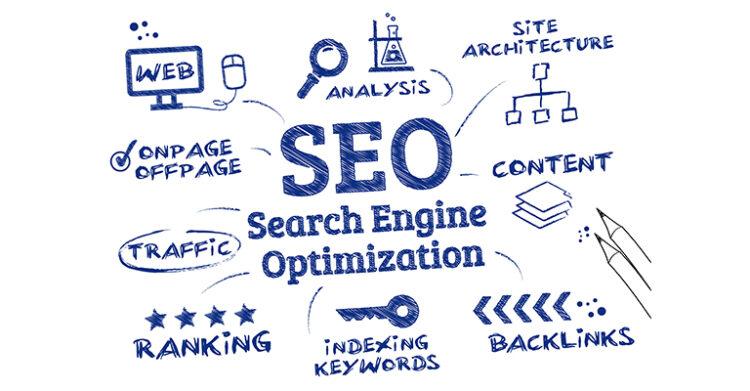
SEO stands for search engine optimization. It means shaping your website so search engines can find it and rank it well. When someone searches for something related to your business, you want your page to appear near the top.
Search engines like Google use automated systems called crawlers. These systems scan the web and match your pages to search queries. Good SEO makes this task easier.
Ranking matters because clicks concentrate at the top of the results page. Of the clicks that happen on desktop, nearly 97 percent land within the top 10 results (Ahrefs). Pages on page two stay invisible to most searchers.
SEO also brings visitors without paid ads. Once a page ranks well, it can keep attracting traffic for months or years. That compounding effect is what makes SEO worth the early effort.
How AI Search Fits Into SEO Best Practices
Search itself is changing. AI-generated answers now sit above traditional results for many queries.
AI Overviews Are Changing How People Click
Google and other search engines now show AI-written summaries above traditional results. These AI Overviews pull from the same well-ranked, trustworthy pages this guide helps you build.
AI summaries have become common. In one large study, 58 percent of searchers ran into an AI summary within a single month (Pew Research Center). When a summary appeared, users clicked a traditional result in just 8 percent of visits. Without a summary, that rate rose to 15 percent.
Good SEO still pays off here. Pages that rank well are often the same pages AI systems choose to cite.
Zero-Click Search Is Rising
Zero-click search reinforces this shift. In the first four months of 2026, 68 percent of Google searches ended without a click (SparkToro). That is up from 60 percent in 2024. This is different from clicks concentrating in top results. It measures whether a search produces any click at all, regardless of where a click lands.
What Is GEO?
This broader shift has a name: Generative Engine Optimization, or GEO. GEO means structuring content so AI tools can read, summarize, and cite it accurately (Semrush). It extends SEO without replacing it. Both rest on the same foundation of clear, trustworthy content.
Write for Both Readers and AI
Structure your content so both readers and AI systems can pull a clear answer fast. Lead each section with a direct answer, then add supporting detail underneath.
This practice is often called answer engine optimization, or AEO. It is a close cousin of GEO, with more tactics for earning AI citations.
Let AI Crawlers Read Your Site
One technical detail is easy to miss. Tools like ChatGPT use dedicated crawlers to read the web. Site owners can allow or restrict these crawlers directly (OpenAI).
Blocking them means AI tools cannot cite you. Most website platforms allow these crawlers by default, so this usually needs no action from you.
Essential SEO Best Practices to Start With

Good SEO needs a plan. Start with these four fundamentals and build skills over time.
Research Your Keywords
Find out what your customers type into search engines. You need the exact words and phrases they search, backed by real data, not assumptions.
Semrush’s keyword research tools show search volume and competition for any term. Google’s own Keyword Planner works well too, especially when you are just starting.
Look at what your competitors rank for. If several competing pages target the same keyword, that keyword likely has real demand.
Create Helpful Content
Write content that solves real problems for your readers. Search engines favor pages that genuinely help people over pages built only to rank.
Focus on being useful first. If you sell kitchen tools, write recipes and cooking guides your customers want to read.
Fix Technical Problems
Make sure your site works well for every visitor. Pages should load fast and display cleanly on phones. They should also stay free of broken links.
Search engines factor these signals into rankings. A slow or broken site can undo strong content and keyword work.
Build Trust Through Links
Earn links from other trustworthy websites. When quality sites link to you, search engines treat that as a vote of confidence.
Skip paid placements and link schemes entirely. Google’s own guidance warns that manipulative link building can hurt your rankings. Focus on off-page SEO tactics that earn references naturally.
Quick Checklist: Getting Started
| Task | |
|---|---|
| ☐ | Research your target keywords. |
| ☐ | Create genuinely helpful content. |
| ☐ | Fix core technical issues like speed and broken links. |
| ☐ | Earn quality backlinks naturally. |
On-Page SEO Best Practices

On-page SEO covers the parts of a page you control directly. These elements are the easiest wins for any beginner.
Optimize Titles and Meta Descriptions
Your title tag should include your main keyword and still sound natural. Instead of “Our Products,” try something specific like “Best Organic Face Cream for Dry Skin.”
Meta descriptions influence clicks more than rankings. Write a clear, specific summary that makes your page sound worth the click.
Use Headers Correctly
Headings organize your content for readers and search engines alike. Your H1 needs your main keyword.
Use H2 and H3 tags to break content into logical sections. Keep heading levels in order, and focus each heading on one idea.
Add Image Alt Text
Alt text describes what an image shows. Search engines read this text to understand what the picture contains.
Keep alt text short and specific. Work in a relevant keyword when it fits naturally.
Create Clean URLs
Use short, readable URLs that include your target keyword. A URL like /organic-skincare-routine/ tells both readers and search engines what the page covers.
Keep URLs free of long number strings and unrelated characters. Clean URLs are also easier to share and remember.
Technical SEO Fundamentals

Technical SEO helps search engines crawl, read, and index your site without friction. These fixes sound complex, but the basics are manageable.
Speed Up Your Site
Slow pages frustrate visitors and hurt rankings. Compress your images, use next-gen formats like WebP, and choose reliable hosting to keep load times short.
Core Web Vitals measure real-world speed and stability. Aim for a loading time under 2.5 seconds, a response time under 200 milliseconds, and a layout shift under 0.1. Google’s free PageSpeed Insights tool checks these numbers for you and shows exactly what to fix.
Core Web Vitals at a Glance
| Metric | Target |
|---|---|
| Largest Contentful Paint (LCP) | Under 2.5 seconds |
| Interaction to Next Paint (INP) | Under 200 milliseconds |
| Cumulative Layout Shift (CLS) | Under 0.1 |
Make It Mobile-Friendly
Google evaluates the mobile version of your site first under mobile-first indexing. Your site needs solid mobile optimization to work well on phones and tablets.
Test your pages on different screen sizes regularly. Small text, cramped buttons, and slow mobile load times all hurt the experience.
Create an XML Sitemap
A sitemap lists every page you want search engines to find. It works like a map that helps crawlers discover your content faster.
Most website builders create sitemaps automatically. Submit yours through Google Search Console once it is ready.
Secure Your Site with HTTPS
HTTPS encrypts the connection between your site and its visitors, keeping their data safe from interception. Google treats HTTPS as a ranking signal, and browsers flag non-HTTPS sites as “not secure.”
Most hosting providers include a free HTTPS certificate by default. Turning it on takes minutes and carries no real downside.
Fix Duplicate Content
The same page sometimes exists at more than one URL, especially on WordPress or e-commerce sites. Search engines can get confused about which version to rank.
A canonical tag tells search engines which URL is the real one. Most SEO plugins add this automatically, so check that yours is active.
Add Structured Data
Structured data is code that describes your content to search engines in a standard format. It can earn rich results like star ratings or FAQ boxes.
Plugins and schema generators add this code for you with minimal setup.
Organize Your Navigation
Keep your site structure simple and shallow. Visitors should reach any page within three clicks from your homepage.
Clear navigation helps search engines understand how your pages relate to each other. It also keeps visitors from leaving in frustration.
Content Strategy for Better Rankings

Content remains the core of good SEO. Ranking well takes planning that balances what readers want with what search engines need.
Match Search Intent
People search for different reasons. Some want to learn something, some want a specific website, and others want to buy.
Understand search intent before you write. A guide on baking bread should teach the process, not pitch bread pans.
Write Complete Guides
Cover your topic fully instead of skimming the surface. Search engines favor pages that answer many related questions in one place.
Thorough guides also earn more backlinks and shares. Readers cite content that solves their problem completely.
Keep Content Fresh
Update old posts often. Search engines favor pages that reflect current facts and figures.
Set aside time each month to review your existing content. Fix broken links, add new data, and clarify sections readers found confusing.
Link Your Pages Together
Use internal links to connect related content across your site. This helps visitors discover more pages and shows search engines how your content relates.
Link from beginner guides to more advanced tutorials on the same topic. Natural, relevant links work better than forced ones.
Build Topic Clusters
Cover a subject through several connected pages instead of one page trying to do everything. Link a central pillar page to related spoke pages on narrower subtopics.
This structure signals real expertise on a topic. It also gives search engines and AI tools more of your content to draw from when answering related questions.
Build Real Authority: E-E-A-T
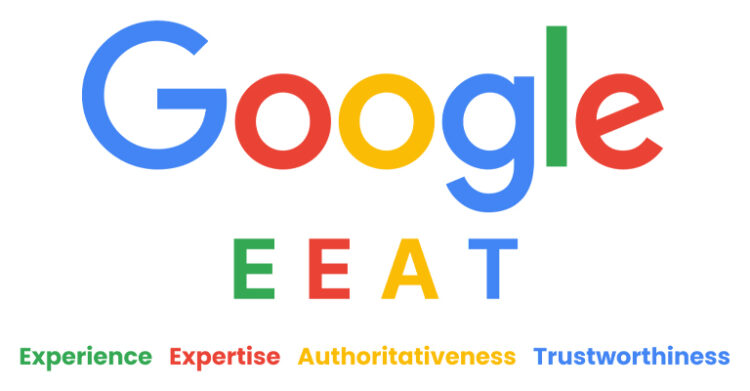
Google evaluates content using a framework called E-E-A-T: Experience, Expertise, Authoritativeness, and Trustworthiness. Content that shows verifiable, trustworthy authority tends to perform better (Google Search Central).
Show Your Experience
Share what you have tried, tested, or lived through yourself. A personal trainer might write about a program they ran with clients they coached. First-hand experience is harder to fake than borrowed research, and search engines increasingly reward it.
Show Your Expertise
Write from genuine knowledge of your topic. A landscaper might explain why a specific soil type works best for local gardens. Cite sources correctly, define terms clearly, and back every claim with evidence.
Build Authority Over Time
Publish consistently in your niche. Spreading thin across unrelated topics dilutes your authority. When other sites, forums, and communities cite your work, that builds credibility.
Earn Trust With Transparency
Add a clear author byline and a short bio on every post. Keep contact information easy to find, and correct mistakes openly instead of hiding them.
Local SEO Basics
If your business serves a specific area, local SEO helps nearby customers find you. Think bakeries, plumbers, or local clinics.
Claim Your Google Business Profile
Set up and verify a free Google Business Profile for your business. Fill in your name, address, phone number, hours, and categories completely.
More detail means better local matches.
Keep Your NAP Consistent
Your name, address, and phone number should match exactly across your website, social profiles, and directories. Inconsistent details confuse customers and search engines alike.
Even small differences, like abbreviating Street versus St, can weaken local trust signals.
Earn Local Reviews
Ask satisfied customers to leave honest reviews on your Google profile. Respond to reviews, both positive and negative, in a professional tone.
Google weighs three factors for local ranking. Reviews are one of the strongest signals you can influence directly.
The Local Ranking Trio
| Factor | What It Means |
|---|---|
| Relevance | How well your profile matches the search |
| Distance | How close your business is to the searcher |
| Prominence | How well-known and trusted your business appears |
Measuring Your SEO Success

Data tells you what to keep doing and what to change. Track results to see which efforts work.
Use Google Analytics
Google Analytics shows which pages perform best and where your visitors come from. Pay attention to organic traffic and how long visitors stay.
This data reveals which content resonates with your audience. Use it to guide what you write next.
Monitor Search Console
Search Console shows which keywords bring visitors to your site. It also flags technical problems that could hurt your rankings.
Check your Core Web Vitals report regularly. Fixing flagged issues early prevents bigger ranking drops later.
Track Keyword Rankings
Watch where you rank for your important keywords over time, using tools like Ahrefs or Semrush for detailed reports.
Watch trends, not daily swings. Rankings naturally fluctuate, so look for steady movement across months.
Watch Your Backlinks
Monitor the links pointing to your site and their quality. New, relevant backlinks show your content is earning trust.
Use backlink monitoring tools, like Ahrefs or Semrush, to spot new links as they appear. Reach out to related sites when you see real link opportunities.
Common SEO Mistakes Beginners Make
Even careful beginners run into the same few traps. Watch for these, and fix them fast.
Chasing Too Many Keywords at Once
The problem: Many beginners target dozens of keywords on one page. This dilutes the page’s focus and confuses search engines about its topic.
The fix: Choose one primary keyword per page. Support it with a handful of closely related terms instead.
Ignoring Mobile Users
The problem: Some sites still look and function best on desktop only. Since Google indexes the mobile version first, this directly hurts rankings.
The fix: Test on phones first. Fix cramped buttons, tiny text, and slow mobile load times.
Copying Competitor Content
The problem: Rewriting a competitor’s article rarely helps you outrank it. Search engines can easily detect thin, unoriginal content.
The fix: Add your own research, examples, or perspective. Give readers a reason to choose your page over the original.
Neglecting Page Speed
The problem: A beautiful page that loads slowly still loses visitors. Most people leave a page that takes more than a few seconds to load.
The fix: Compress images, limit heavy scripts, and test your speed regularly. Small fixes often produce noticeable gains.
Your Next SEO Move

SEO best practices reward steady progress over instant perfection. Start with one area, such as keyword research or page speed, and build from there.
Small, consistent changes compound over months. A page you optimize today may take time to rank, but steady work adds up.
Revisit these sections as you grow more comfortable with each area. Pick one action and put it into practice this week.
Additional Resources
People Also Ask
What is the first step in SEO for beginners?
Start with keyword research. Find out what your audience searches for before you write anything.
How long does SEO take to show results?
Most sites see meaningful movement within three to six months. Consistent, steady work matters more than quick fixes.
Do I need to hire an SEO expert?
Not necessarily. Beginners can handle the fundamentals covered in this guide using free tools like Google Search Console.
What is the difference between on-page and technical SEO?
On-page SEO covers the words and elements on your page, like titles and headers. Technical SEO covers how your site functions, like speed and how easily search engines crawl it.
Can I do SEO without paying for tools?
Yes. Google Search Console, Google Analytics, and Google Keyword Planner are all free and cover most beginner needs.
Do I need local SEO if my business has no physical location?
No. Local SEO mainly helps businesses serving a specific city or region. Skip it if you sell only online, nationwide.
FAQ
What does SEO stand for?
SEO stands for search engine optimization. It covers the practices that help search engines find, understand, and rank your website clearly. The goal is simple: help people already searching for what you offer find your site easily.
Good SEO touches many areas, from the words on your page to how fast it loads on a phone. Start with the fundamentals, then build skills and confidence over time.
How does Google decide search rankings?
Google’s ranking systems weigh hundreds of signals, including content quality, relevance, site speed, and backlinks. No single factor decides a ranking on its own. Instead, these signals work together to estimate which page best answers a search.
Beginners should focus on the signals they can control directly. Helpful content, a clean technical setup, and honest link building matter most. Trust these fundamentals over rumored ranking factors you read about online.
How long should a blog post be for SEO?
No fixed word count guarantees higher rankings. Length should match what fully answers the search query, whether that takes 500 words or 3,000. Thin content that skips important details rarely performs well.
Focus on completeness instead of a target number. Cover the topic well, answer related questions, and keep only what directly serves the reader. A short page that fully answers the query outranks a padded one.
What is a meta description, and does it affect rankings?
A meta description is the summary that appears under your title in search results. It has no direct effect on rankings, but it strongly shapes whether someone clicks your link.
Write meta descriptions that clearly explain what the page offers. A specific, honest description outperforms a vague or generic one almost every time you test it. Keep it under 160 characters, so Google shows it in full.
How often should I update old content?
Review your most important pages every few months. Search engines favor content that stays accurate, especially for topics where facts or statistics change over time.
Focus your updates on pages that once ranked well but have slipped, or pages covering fast-changing topics. Small refreshes, like fixing broken links, often restore lost rankings quickly. Add fresh examples or updated numbers whenever you revisit a page. Note the change so readers see it is current.
What is the difference between SEO and paid search ads?
SEO earns visibility through organic rankings, free of per-click payments. Paid search ads appear at the top of results but stop generating traffic the moment you stop paying for them.
SEO takes longer to build but delivers more sustainable traffic over time. Most established sites use a mix of both to cover short and long-term goals. Ads work for quick wins, while SEO pays off long after the budget ends.
Can small businesses compete with large brands in search results?
Yes, especially for specific, local, or niche keywords. Large brands often target broad terms, leaving detailed, specific searches easier for smaller sites to win outright. A large budget helps, though relevance and skill still decide top spots.
Focus on the specific searches your ideal customer runs, not broad terms dominated by big competitors. Local SEO and niche, well-targeted content give small sites a real path to visibility.
Is SEO still worth it as AI search tools grow?
Yes, ranking well in traditional search still matters. AI Overviews are changing click patterns (Search Engine Land), and more searches now end without a click. Still, a strong ranking earns you the clicks that do happen and a shot at AI citations.
Many AI tools also pull answers from well-ranked, trustworthy pages. Solid SEO fundamentals help your content get cited in both traditional results and AI-generated summaries. Skipping them risks losing visibility everywhere.
What is E-E-A-T, and why does it matter?
E-E-A-T stands for Experience, Expertise, Authoritativeness, and Trustworthiness. Google uses this framework to judge whether content is genuinely helpful (Google Search Central).
For beginners, E-E-A-T means showing real experience, citing accurate sources, and being transparent about who wrote the content. Add a clear author bio, and back up claims with links to sources readers can verify. Small sites can build this trust just as well as large ones.
How do AI Overviews affect SEO best practices?
AI Overviews are AI-written summaries that appear above regular search results. They pull information from pages that already rank well and appear trustworthy and authoritative to search engines.
The fundamentals in this guide, like helpful content and technical health, are what earn a spot in these AI-written summaries. AI search sits on top of classic SEO practices, not apart from them. It extends those fundamentals into new territory.
Glossary
| Definition | |
|---|---|
| Alt Text | A written description of an image that helps search engines and visually impaired users understand its content. |
| Answer Engine Optimization (AEO) | The practice of optimizing content to appear in direct answer boxes, voice search results, and AI-generated summaries. |
| Backlink | A link from another website pointing to your site, often treated as a vote of confidence by search engines. |
| Canonical Tag | A code signal that tells search engines which version of a page to treat as the original when duplicates exist. |
| Core Web Vitals | A set of Google metrics that measure a page’s loading speed, interactivity, and visual stability. |
| Crawler | An automated program search engines use to scan and read web pages across the internet. |
| E-E-A-T | Google’s framework for judging content quality based on Experience, Expertise, Authoritativeness, and Trustworthiness. |
| Generative Engine Optimization (GEO) | The practice of structuring content so AI tools can read, summarize, and cite it accurately. |
| HTTPS | A secure version of the standard web protocol that encrypts data between a browser and a website. |
| Keyword | A word or phrase people type into a search engine when looking for information. |
| Meta Description | A summary shown under a page’s title in search results, meant to encourage clicks. |
| NAP | Short for Name, Address, and Phone number, the core details that must stay consistent across local listings. |
| Organic Traffic | Visitors who arrive at your site through unpaid search results instead of ads. |
| Sitemap | A file listing a site’s pages that helps search engines find and index content efficiently. |
| Structured Data | Code added to a webpage that describes its content in a format search engines can interpret directly. |
| Topic Cluster | A group of connected pages, built around one central pillar page, that together cover a subject in depth. |
| Zero-Click Search | A search that ends without the searcher clicking any result, often because the answer appears on the results page. |