Quick Answer
Mobile-first indexing means Google uses your site’s mobile version to crawl, index, and rank your pages. This practice exists because most searches happen on smartphones. To prepare, your mobile site needs the same content, structured data, and metadata as your desktop version. You also need fast load times and a responsive design. If your mobile site is incomplete, your search rankings will suffer.
Key Takeaways
- Google uses your mobile version to index and rank all of your pages.
- Your mobile and desktop sites must contain the same content for content parity.
- Responsive design is Google’s recommended approach for mobile-first compliance.
- Core Web Vitals scores on mobile directly affect your search rankings.
- Structured data must appear on both your mobile and desktop versions.
- Google Search Console shows whether your site uses mobile-first indexing.
- Slow mobile page speed can reduce rankings for both mobile and desktop searches.
Table of Contents
Most website owners spend their time optimizing the desktop experience. But Google does not rank your desktop site. It ranks your mobile version.
This shift is called mobile-first indexing. It determines how your pages appear in search results. If your mobile site falls short, your entire website pays the price in lower rankings.
In this guide, you will learn what mobile-first indexing means, why Google made the switch, and how it affects your rankings. You will also find step-by-step guidance, a readiness checklist, and common mistakes to avoid.
What Is Mobile-First Indexing?
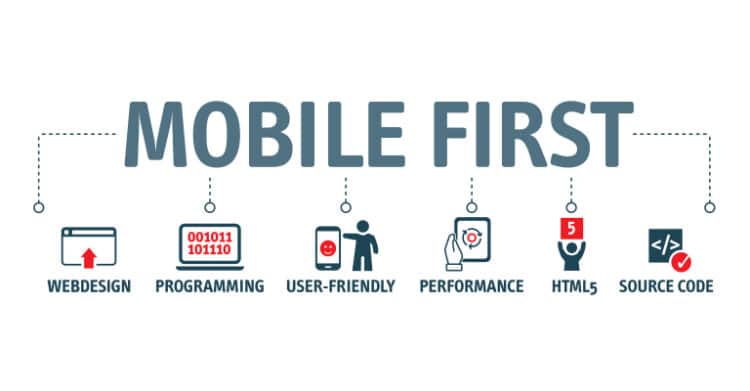
Mobile-first indexing is how Google uses the mobile version of a webpage to crawl, index, and rank it. Crawling means Google visits and reads your pages. Indexing means it stores those pages in its search database. Google moved to this approach because most web searches now happen on smartphones.
Before this change, Google used your desktop site as the primary source for indexing. Now it relies on your mobile version first. If your mobile and desktop versions differ, Google evaluates the mobile version. Both versions must contain identical content, structured data, and metadata (Google Search Central).
Structured data is code added to your pages that helps Google understand what your content means. Metadata includes page information like your title and description. These are the details that appear in search results.
Googlebot Smartphone is the specific crawler Google uses for mobile-first indexing. It mimics a real mobile browser, so it reads your site exactly as a mobile visitor would.
If your mobile site shows less content than your desktop site, Google may index only that limited content. This can directly lower your rankings.
Why Google Made the Switch to Mobile-First Indexing
Google moved to mobile-first indexing because mobile searches now outnumber desktop searches. Most users access websites on smartphones. Indexing the desktop version no longer matched how people actually browse the web.
Mobile-first indexing also aligns with Google’s focus on user experience. A page that performs poorly on mobile creates a bad experience for most people searching for your content. Google’s ranking systems reward pages that serve users well on small screens. Mobile usability has been a confirmed Google ranking signal for years (Backlinko).
Mobile-first indexing is part of a broader evolution in technical SEO toward better performance, usability, and mobile-friendly design. Here is how this shift affects your rankings specifically.
How Mobile-First Indexing Affects Your Rankings

Mobile-first indexing directly shapes where your pages appear in search results. If your mobile experience is poor, your rankings can fall below those of competitors with stronger mobile versions.
Mobile-first indexing affects your rankings through three key factors:
- Content completeness on mobile: Pages missing key text or images on mobile rank lower than pages with full content.
- Page speed: Slow mobile load times lower your Core Web Vitals scores, which directly hurt your rankings. Core Web Vitals are Google’s metrics for real user experience, including load time, visual stability, and interactivity.
- Structured data consistency: Schema markup is the code used to label and explain your content to Google. If it is missing from the mobile version, Google ignores it, even if it appears on desktop.
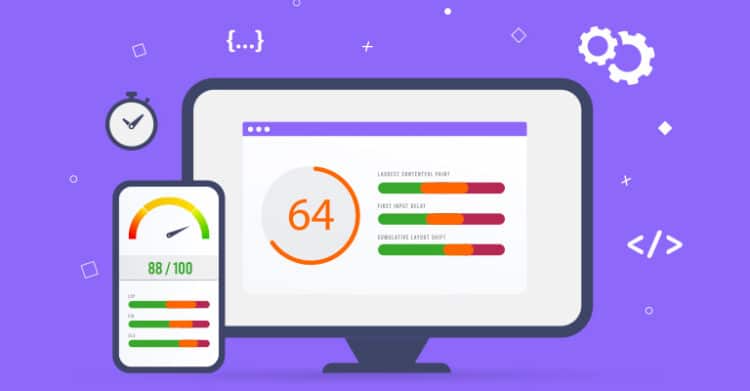
Google uses Core Web Vitals to measure page experience as part of mobile-first indexing. These three metrics each measure a different aspect of the user experience. Largest Contentful Paint measures how fast your main content loads. Interaction to Next Paint measures how quickly your page responds to a tap or click. Cumulative Layout Shift measures how stable your page layout is as it loads. Poor scores on any of these directly hurt your rankings (Semrush).
If the structured data that appears on your desktop is missing from your mobile version, Google will not use that data. This means your pages will not qualify for rich results, the enhanced search listings that show extra details like star ratings.
How to Check Your Mobile-First Indexing Status
Google Search Console is a free tool for monitoring how your site appears in search results. Use it to check your mobile-first indexing status. Here is how to check:
- Log in to Google Search Console and select your property (your website).
- Go to Settings in the left navigation menu.
- Find the Crawling section within Settings.
- Look for the message: “Google uses mobile-first indexing for this property.”
If that message appears, your site is already using mobile-first indexing. You can also use the URL Inspection tool to check individual pages. It shows which version of Googlebot last crawled each page.
Once you confirm your status, use the Mobile Usability report in Google Search Console to find specific pages that need attention.
Crawl errors are problems that stop Google from visiting or reading your pages. If your site has crawl errors specifically for Googlebot Smartphone, those pages are not being indexed correctly for mobile-first indexing.
How to Optimize Your Website for Mobile-First Indexing

Follow these steps to prepare your website:
-
Use a Responsive Design
Responsive design means your site adapts its layout to fit any screen size. It uses CSS media queries, which are style rules that tell your site how to look at different screen widths. Google recommends this approach because it keeps your content consistent across mobile and desktop. It is the most reliable way to meet mobile-first indexing requirements (Moz).
-
Ensure Content Parity
Every piece of text, image, and video on your desktop version should also appear on mobile. Do not hide important content behind “show more” tabs if those tabs are inaccessible to crawlers. If you are unsure, run your page through the URL Inspection tool in Google Search Console to see exactly what Google can read.
-
Match Your Structured Data
Schema markup is the code you use to add structured data to your pages. It must appear on both mobile and desktop versions. If schema markup is missing from your mobile version, Google ignores it entirely. This removes your eligibility for rich results, which are enhanced search listings that show extra details like star ratings.
-
Align Your Metadata
Your title tags are the clickable headlines shown in search results, and your meta descriptions are the short summaries shown below them. Both should be identical on mobile and desktop. Differences between versions send conflicting signals to crawlers and can confuse Google about which version to rank.
-
Set the Viewport Meta Tag
Add the viewport meta tag to your HTML head section. This tag tells browsers how to scale your page on small screens. Without it, Google may flag your site as not mobile-friendly. Most website platforms like WordPress and Squarespace add this automatically. If you are unsure, check your SEO plugin settings or ask your developer.
How to Optimize Your Content for Mobile-First Indexing
Your content needs to work well for both users and crawlers on small screens. Here is how to put that into practice.
Use Short Paragraphs
Keep paragraphs to two or three sentences. Long blocks of text are harder to read on small screens. Short paragraphs also help Google extract key information more easily. This increases your chances of appearing in featured snippets, the highlighted answer boxes shown at the top of Google results.
Optimize Images for Mobile
Compress images to reduce file size. Use next-generation formats like WebP for smaller file sizes with equal quality. Add descriptive alt text to every image. Alt text is a short written description of an image that helps search engines understand and index the images on your pages. Good image optimization helps your site load faster on mobile, which improves your Core Web Vitals scores.
Strong content optimization practices, including image compression and alt text, help Google find and rank your mobile content more effectively.
Avoid Intrusive Pop-Ups
Google penalizes pages that use full-screen pop-ups that block content on mobile. Use small banners or slide-in notifications instead. These full-screen overlays cause poor mobile usability scores and can lower your rankings.
Use Legible Font Sizes
Body text should be at least 16px, which is a comfortable reading size on most screens. Anything smaller forces users to zoom in, which hurts your usability scores and signals a poor experience to Google.
Configure Lazy-Loading Correctly
Lazy-loading delays images from loading until a user scrolls near them. If it is not set up correctly, Googlebot may miss those images entirely. To set this up, use native HTML lazy-loading or the Intersection Observer API. The Intersection Observer API is a built-in browser feature that detects when images come into view. If you use WordPress or another major platform, an image optimization plugin can handle this automatically. Then, verify the setup using the URL Inspection tool in Google Search Console. Proper lazy-loading setup keeps images accessible to Googlebot while keeping your page load time fast (web.dev)
Common Mistakes to Avoid with Mobile-First Indexing

Now that you know what to do, here are the most common errors to avoid. Any one of these can undo the work you have done to optimize your site.
Mistake 1: Blocking Googlebot Smartphone in robots.txt
Your robots.txt file is a simple text file that tells search engines which pages they can visit. If it blocks Googlebot Smartphone, Google cannot crawl your mobile site at all. Check your robots.txt file to confirm it allows smartphone crawlers. Blocking Googlebot Smartphone is one of the most common and damaging mobile SEO errors (Ahrefs).
Mistake 2: Using Separate Mobile URLs Without Proper Configuration
Some sites host a separate mobile version at an “m.” subdomain, meaning mobile pages live at addresses like m.yoursite.com. If you use this setup, you must add canonical tags and rel=”alternate” signals. Canonical tags tell Google which version of a page is the main one. The rel=”alternate” signals then connect your mobile and desktop pages. Missing these signals can confuse Google’s crawler and cause your pages to rank lower in search results.
Mistake 3: Serving Different Content by Device Type
If your server delivers different HTML to mobile users compared to desktop users, Google sees a different version of your content than your actual visitors do. This is called dynamic serving. Getting it right requires careful setup to ensure Google and your visitors see the same content. If you are not sure whether your site uses dynamic serving, ask your web developer or check with your hosting provider.
Mistake 4: Ignoring Core Web Vitals on Mobile
Core Web Vitals measure the real experience visitors have on your pages. Many site owners check their desktop scores but never look at mobile scores, where the problems often hide. Use Google PageSpeed Insights to check your mobile scores separately from desktop scores.
Mistake 5: Hiding Internal Links in Collapsed Menus
Some mobile designs hide navigation inside a hamburger menu, the three-line icon that reveals links when tapped. If internal links are only accessible after tapping that icon, Googlebot Smartphone may miss them. Keep key navigation links visible in the page’s HTML so Google can find them without requiring any clicks or taps.
Tools to Test Your Mobile-First Readiness
These tools help you diagnose and fix mobile-first indexing problems:
- Google Search Console: Checks mobile usability, crawl errors, and confirms your mobile-first indexing status.
- Google PageSpeed Insights: Measures Core Web Vitals scores for mobile and desktop separately.
- Rich Results Test: Confirms that your structured data is accessible to Googlebot on mobile.
- Chrome DevTools: Lets you simulate mobile devices and check how your pages render on small screens.
- Screaming Frog: Crawls your site as Googlebot Smartphone to find pages with crawl errors or missing content.
Make these tools part of your regular SEO strategy. Running them quarterly helps you catch issues before they affect rankings.
People Also Ask
Does mobile-first indexing mean my desktop site no longer matters?
No. Desktop still matters for users visiting your site from a computer. However, Google uses mobile content as the primary source for indexing and ranking. If your mobile and desktop versions match, there is no conflict.
What happens if I only have a desktop website?
Google will still try to index your site using Googlebot Smartphone. Without a mobile-friendly version, your usability scores will likely be low. This can reduce your rankings for both mobile and desktop searches.
How long does it take Google to switch a site to mobile-first indexing?
The transition is already complete. All sites are now indexed using mobile-first indexing. If you launched your site recently, it has used mobile-first indexing from day one. There is nothing you need to do to trigger the switch.
Does AMP replace responsive design for mobile-first indexing?
No. AMP (Accelerated Mobile Pages) is a specific page format, not a replacement for responsive design. Google recommends responsive design for most websites because it keeps content on a single URL.
Can I rank well on desktop searches if my mobile site is poor?
It is unlikely. Google uses mobile content to rank pages for all searches. A poor mobile experience reduces your overall ranking potential, even for users searching from desktop computers.
Mobile-First Indexing Checklist

Use this checklist to confirm your site is ready for mobile-first indexing:
| Status | Task |
|---|---|
| [ ] | Use a responsive design that adapts to all screen sizes |
| [ ] | Confirm mobile and desktop versions contain identical content (content parity) |
| [ ] | Add the viewport meta tag to your HTML head section |
| [ ] | Match structured data on both mobile and desktop versions |
| [ ] | Align title tags and meta descriptions on mobile and desktop |
| [ ] | Achieve passing Core Web Vitals scores on mobile |
| [ ] | Allow Googlebot Smartphone in your robots.txt file |
| [ ] | Compress images and use next-gen formats like WebP |
| [ ] | Add descriptive alt text to all images |
| [ ] | Remove or replace intrusive pop-ups on mobile |
| [ ] | Keep body text at least 16px for readability |
| [ ] | Confirm lazy-loaded content is visible to Googlebot |
| [ ] | Keep key navigation links visible in page HTML so Google can find them without clicks or taps |
| [ ] | Verify mobile-first indexing status in Google Search Console |
Conclusion
Mobile-first indexing is not optional. Google ranks your site based on what its smartphone crawler finds. If your mobile site is incomplete, slow, or poorly structured, your rankings will reflect that.
Start by checking your status in Google Search Console. Then review whether your mobile and desktop content match, check your structured data, and look at your Core Web Vitals scores. Understanding the broader picture of technical SEO makes mobile-first indexing much easier to manage.
Take one step today. Run your site through PageSpeed Insights and identify your biggest mobile performance gap. That single fix can make a meaningful difference in how your pages rank.
Frequently Asked Questions
What is mobile-first indexing?
Mobile-first indexing is the process by which Google primarily uses the mobile version of a webpage to crawl, index, and rank it in search results. Google made this shift because most searches happen on smartphones. If your mobile and desktop content differ, Google evaluates the mobile version to determine rankings. This means your mobile site must be complete, fast, and well-structured to compete in search results.
When did Google fully switch to mobile-first indexing?
Google began testing mobile-first indexing in 2016 and announced the near-completion of its rollout in October 2023. The final transition for all remaining sites was completed in July 2024. New sites created after July 2019 were automatically indexed using mobile-first indexing from launch. Sites created before 2019 were gradually migrated. You can confirm your status in Google Search Console under Settings.
How do I check if my site uses mobile-first indexing?
Click over to Google Search Console, navigate to Settings, and look for the Crawling section. If it shows “Google uses mobile-first indexing for this property,” your site is already indexed via mobile-first indexing. You can also use the URL Inspection tool to see which Googlebot version crawled a specific page. Check this regularly after major site updates to catch any crawl issues early.
What does content parity mean for mobile-first indexing?
Content parity means your mobile and desktop versions contain the same text, images, structured data, internal links, and metadata. Google ranks your pages based on mobile content. If your mobile version hides or omits content that appears on desktop, Google may not index that content at all. This can lower your rankings. Audit your mobile site regularly to confirm nothing important is hidden or missing.
Does mobile-first indexing affect local SEO?
Yes. Most local searches happen on mobile devices. If your mobile site is not optimized, your local SEO rankings can suffer. Your business name, address, and phone number must be accessible on mobile. Structured data for local businesses must also appear on your mobile version. Google uses this information to show your business in local search results and Google Maps. Poor mobile performance can push competitors above you in local listings.
What is the viewport meta tag and why does it matter?
The viewport meta tag is an HTML element in your page’s head section that tells browsers how to scale your content on different screen sizes. Without it, mobile browsers may render your page at desktop width and then shrink it. Google uses the presence of this tag as a basic mobile-friendly signal. Add the tag to every page on your site to avoid rendering issues.
What are Core Web Vitals and how do they connect to mobile-first indexing?
Core Web Vitals are Google’s metrics for measuring real user experience on a webpage. They include Largest Contentful Paint (load speed), Cumulative Layout Shift (visual stability), and Interaction to Next Paint (interactivity). Since Google evaluates mobile pages first, poor Core Web Vitals scores on mobile directly hurt your rankings, even for users searching from desktop computers. Use PageSpeed Insights to monitor your mobile scores.
Should I use responsive design or a separate mobile site?
Google recommends responsive design for most websites. Responsive design keeps your mobile and desktop content under the same URL, so both versions remain identical automatically. A separate “m.” subdomain requires careful canonical tag setup and ongoing maintenance to avoid content mismatches. For small business owners and solo marketers, responsive design is the more manageable option. It also reduces the risk of indexing errors.
How do I check if Googlebot Smartphone can access my site?
Check your robots.txt file for any rules that block Googlebot or Googlebot-Mobile. Blocked crawlers cannot index your mobile pages at all. You can also use Google Search Console’s URL Inspection tool to see which Googlebot version last crawled a page. Screaming Frog SEO Spider can simulate a Googlebot Smartphone crawl across your entire site. Run this audit at least once per quarter.
Does mobile-first indexing affect how images are indexed?
Yes. If your images are only visible on your desktop version or are blocked by misconfigured lazy loading, Googlebot Smartphone may not index them. Add alt text to all images and use next-gen formats like WebP. Use the URL Inspection tool in Google Search Console to confirm that Googlebot can access your images. Missing alt text also reduces your visibility in Google image search results.
What is dynamic serving and how does it relate to mobile-first indexing?
Dynamic serving is a configuration where a server delivers different HTML to mobile and desktop users based on the device making the request. It is a valid mobile implementation, but it requires a specific HTTP signal called the Vary: User-Agent header, which tells Google that different versions of the page exist. Without it, Google may index the wrong version of your content.
What should I do if my mobile site has less content than my desktop site?
Audit your mobile site immediately. Identify which sections or content blocks are hidden, collapsed, or removed on mobile. Expand your mobile layout to include all content, or use a responsive design that shows all content at every screen size. Content parity is not optional under mobile-first indexing. Pages with incomplete mobile content rank lower than pages with full content on both desktop and mobile.
Glossary of Key Terms
| Term | Definition |
| Mobile-First Indexing | Google’s practice of using the mobile version of a page as the primary source for crawling, indexing, and ranking in search results. |
| Googlebot Smartphone | The version of Google’s web crawler that mimics a mobile browser to crawl and evaluate the mobile version of webpages. |
| Responsive Design | A web design approach that uses CSS media queries to adapt a page’s layout and content automatically to fit any screen size. |
| Content Parity | The requirement that mobile and desktop versions of a page contain the same text, images, links, structured data, and metadata. |
| Core Web Vitals | Google’s set of metrics that gauge real user experience, including Largest Contentful Paint (load speed), Cumulative Layout Shift (visual stability), and Interaction to Next Paint (interactivity). |
| Viewport Meta Tag | An HTML element in the page head that tells browsers how to scale and display a webpage’s dimensions on mobile screens. |
| Structured Data | Code added to a webpage using schema markup that helps search engines understand page content and display rich results in search. |
| Canonical Tag | An HTML element that tells search engines which version of a page is the primary or preferred version, used to prevent duplicate content issues. |
| Dynamic Serving | A server configuration that delivers different HTML to mobile and desktop users based on the device type making the request. |
| Lazy-Loading | A technique that delays loading off-screen images or resources until a user scrolls close to them, reducing initial page load time. |